

What Is a Backing Track?
A backing track is a pre-recorded piece of music designed to accompany a live performer. It provides the rhythm section, harmony, and arrangement — everything except the part you're playing. Think of it as a virtual band that plays behind you while you perform, practice, or improvise.
The concept is simple: instead of needing a full band to practice or perform, you play along with a recording that fills in the missing instruments. A guitarist might use a backing track with drums, bass, and keys. A vocalist might use one with the full band minus vocals. A saxophone player might use one with a jazz trio — piano, bass, drums.
Backing tracks have been a staple of music practice and performance for decades, but the way they're created and used has evolved dramatically in recent years.
How Musicians Use Backing Tracks
Practice and Improvisation
The most common use case: daily practice. Playing scales and exercises in isolation builds technique, but it doesn't teach you how to apply that technique musically. A backing track gives you harmonic context (chords to play over), rhythmic context (a groove to lock into), and a dynamic feel that static exercises can't provide.
For improvisation practice, backing tracks are indispensable. You can practice soloing over a 12-bar blues, comping over jazz changes, or shredding over a metal progression — all without needing bandmates. The track handles the accompaniment while you focus on your playing. (See our guide to practicing guitar with backing tracks for specific techniques.)
Live Performance
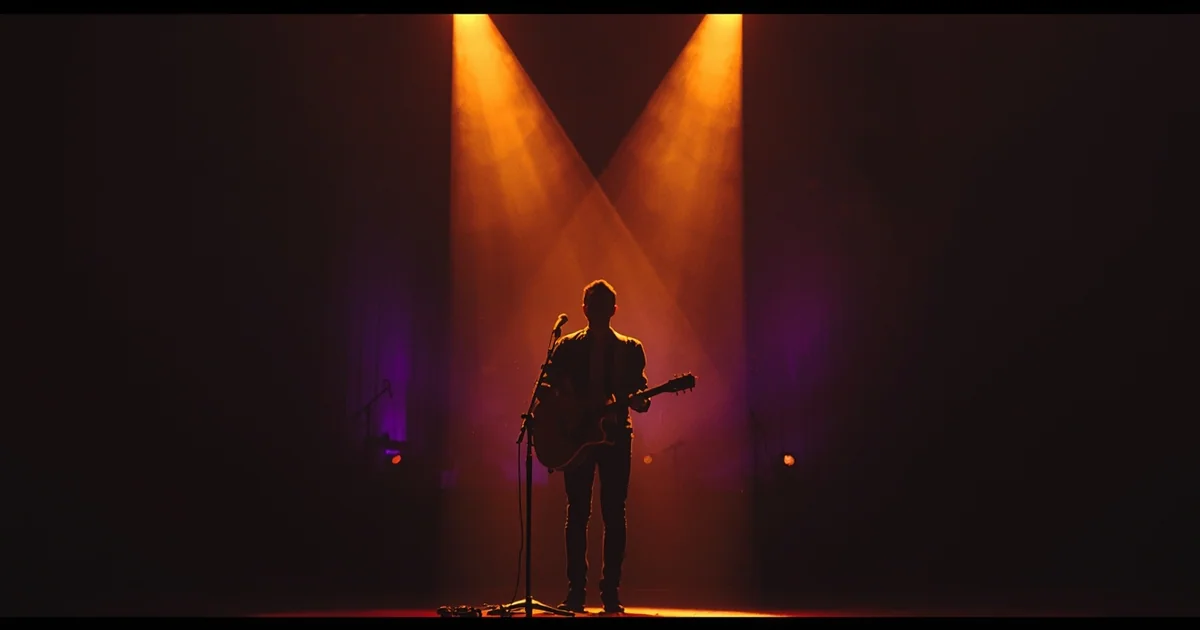
Many professional musicians use backing tracks on stage. Solo performers use them to sound like a full band. Duos use them to fill out their sound with bass and drums. Even full bands sometimes use backing tracks for parts they can't reproduce live — string sections, horn arrangements, backing vocals, or electronic elements.
The key to effective live backing tracks is reliability and control. Performers need tracks that start on cue, maintain consistent tempo, and provide exactly the arrangement they need — no surprises.
Ear Training
Backing tracks provide real musical context for ear training exercises. Instead of identifying intervals in isolation, you're hearing them within a chord progression, with bass movement and rhythmic feel. This kind of contextual ear training transfers more effectively to real-world playing.
Teaching
Music teachers use backing tracks to give students accompaniment during lessons. It's more engaging than playing a chord progression on loop while the student solos, and it frees the teacher to focus on instruction and feedback.
Types of Backing Tracks
By Instrumentation
- Full band minus one — everything except your instrument (most common for practice)
- Rhythm section only — drums, bass, and maybe keys or rhythm guitar
- Drums only — for practicing with just a beat (popular for bass and guitar practice)
- Drone/pad — sustained notes or chords for scale practice and ear training
By Purpose
- Practice tracks — designed for repetitive practice, often with simple arrangements that don't distract from your playing
- Performance tracks — polished productions suitable for live use, with intros, outros, and arrangement dynamics
- Jam tracks — longer, less structured tracks designed for extended improvisation
By Source
- Pre-recorded — traditional approach: session musicians record tracks in a studio
- MIDI-generated — programmed using virtual instruments, easily editable but sometimes stiff-sounding
- AI-generated — created by AI models from text descriptions, producing realistic-sounding tracks in seconds
- Stem-separated — created by removing an instrument from an existing recording using AI stem separation
The Problem With Traditional Backing Tracks
Traditional backing tracks — whether purchased from websites, found on YouTube, or recorded by session musicians — share a common limitation: they're static. Someone created them in one specific key, at one specific tempo, with one specific arrangement.
Need the same groove in a different key? Find (or buy) another track. Need it 10 BPM faster? You're out of luck unless the original creator made multiple versions. Want a funkier drum pattern? That requires a new recording entirely.
This inflexibility creates real friction in practice:
- You adapt your practice to the available tracks instead of the other way around
- You end up memorizing the specific fills and transitions of one backing track rather than developing generalizable skills
- Finding tracks in uncommon keys (Db major, F# minor) is nearly impossible
- Genre variety is limited to whatever the track creator happened to record
How AI Changes Backing Tracks
AI-generated backing tracks solve the static problem entirely. Instead of searching for a pre-made track that's close enough, you describe exactly what you want and get it in seconds:
- Any key — all 12 chromatic keys, including sharp and flat keys that are rare in traditional backing track libraries
- Any tempo — specify BPM from 40 to 200, to the exact number
- Any genre — blues, jazz, funk, rock, metal, fusion, neo soul, R&B, pop, country, Latin, reggae, ambient, hip hop, electronic
- Any feel — pocket, driving, laid back, aggressive, swing, straight, shuffle, bouncy, ethereal, intense
- Any instrumentation — exclude specific instruments to make room for yours
On VampJam, you can generate tracks two ways:
Quick Mix lets you dial in parameters precisely — pick your key, scale (12 options from major and minor to modes like Dorian and Mixolydian), tempo, genre, feel, and optionally exclude an instrument. You see a preview of the resulting prompt before generating.
Open Prompt lets you describe the track in natural language: "slow 12-bar shuffle in G, swampy organ, keys and rhythm section, no guitar." The AI interprets your description and generates accordingly. An "Inspire me" button generates random creative prompts if you're looking for new ideas.
Both modes offer a choice between backing track (specifically engineered for practice, with lead instruments suppressed) and full production (complete arrangement with all instruments, useful for study and listening).
What to Look for in a Backing Track
Whether you're using AI-generated tracks or traditional recordings, certain qualities make a backing track more useful for practice:
Clear Harmonic Foundation
You should be able to hear the chord changes. If the harmony is ambiguous or buried under layers of production, it's harder to improvise over effectively. The best practice tracks have a clear bass line and visible harmonic rhythm.
Consistent Tempo
Tempo fluctuations are fine in a live performance setting, but for practice, you want a rock-solid tempo to develop your internal clock against. This is one area where AI-generated and MIDI-based tracks excel — they don't rush or drag.
Appropriate Arrangement Density
A track that's too busy competes with your instrument for sonic space. A track that's too sparse doesn't provide enough context. The ideal is somewhere in between — enough to feel like a band, but with room for your part.
No Lead Instrument
For practice purposes, the lead instrument should be absent. If you're a guitarist practicing over a track that already has a prominent guitar part, you're competing with it rather than filling the space. AI generation with instrument exclusion handles this well.
Making the Most of Backing Tracks
Backing tracks are most effective when combined with intentional practice techniques:
- Loop specific sections — don't just play through the whole track. Isolate the bridge or hard section with an A/B looper and loop it until it's clean.
- Vary the key — practice the same progression in multiple keys. This develops your ability to transpose on the fly and prevents you from relying on muscle memory for specific fret positions.
- Record yourself — play over a backing track, record it, listen back. You'll hear timing and note choice issues that you can't perceive while playing.
- Use chord detection — seeing the chord progression in real time as you play helps you make informed note choices and learn the theory behind what sounds good.
- Slow down first — if a track is too fast, use a tempo trainer to reduce the speed. Practice cleanly at a slow tempo before bringing it up to full speed.
Building a Backing Track Library
Over time, you'll develop a personal library of tracks for different practice goals. Organize them by category:
- Warm-up tracks — simple grooves in different keys for daily warm-ups
- Technique tracks — tracks at challenging tempos for speed building
- Improvisation tracks — varied genres and keys for creative practice
- Performance tracks — polished tracks for songs you perform live
VampJam lets you organize tracks into playlists (by theme, genre, or practice goal) and setlists (ordered for live performance or structured practice sessions with configurable gaps between tracks). Every practice tool — metronome, looping, EQ, stems, chords, tempo trainer, recorder — is available on every track in your library.
Ready to build your backing track library? Create a free VampJam account and generate your first tracks in seconds. Or grab a free metronome, tuner, or BPM detector without signing up.